スポットの検索方法
地図で探す
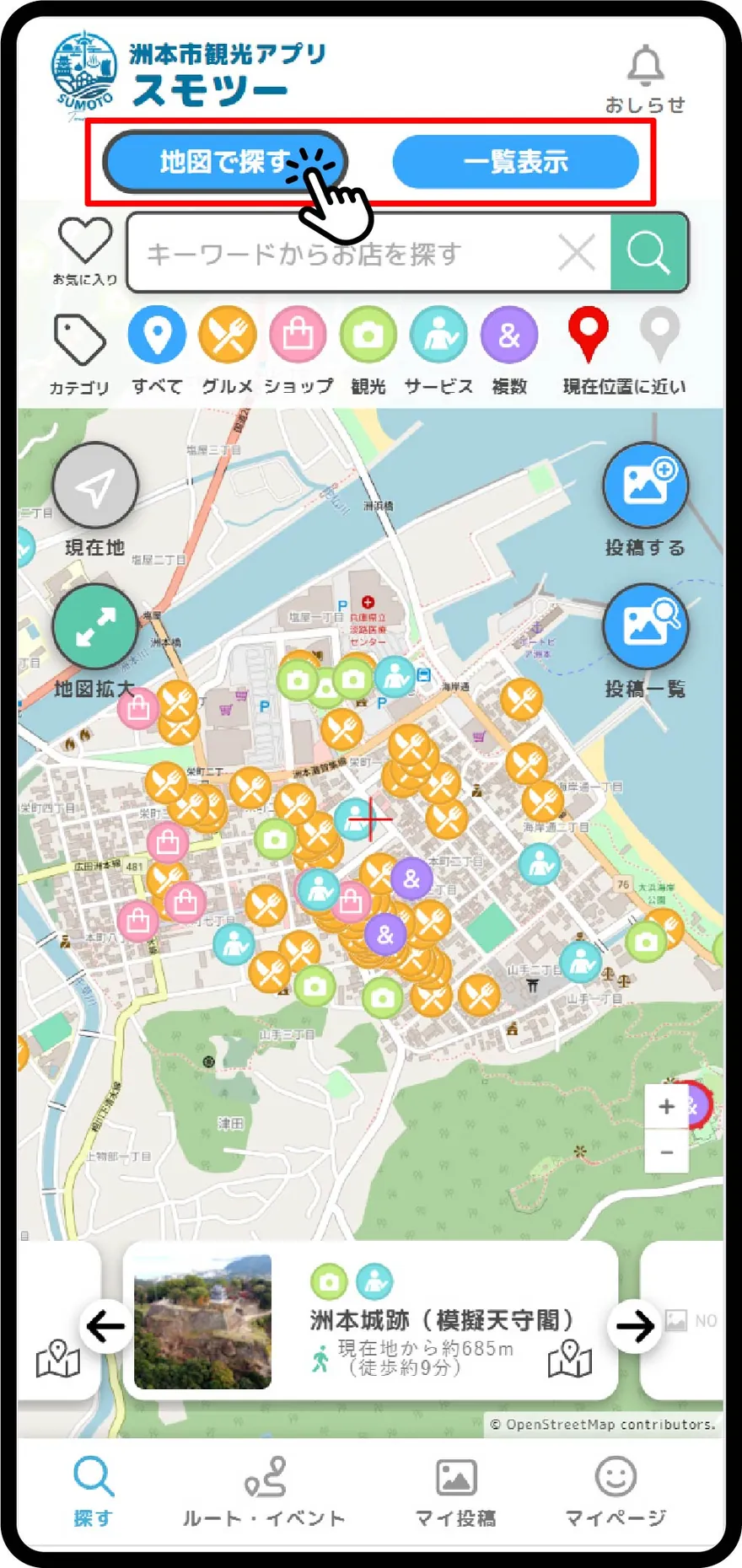
「地図で探す」をタップします
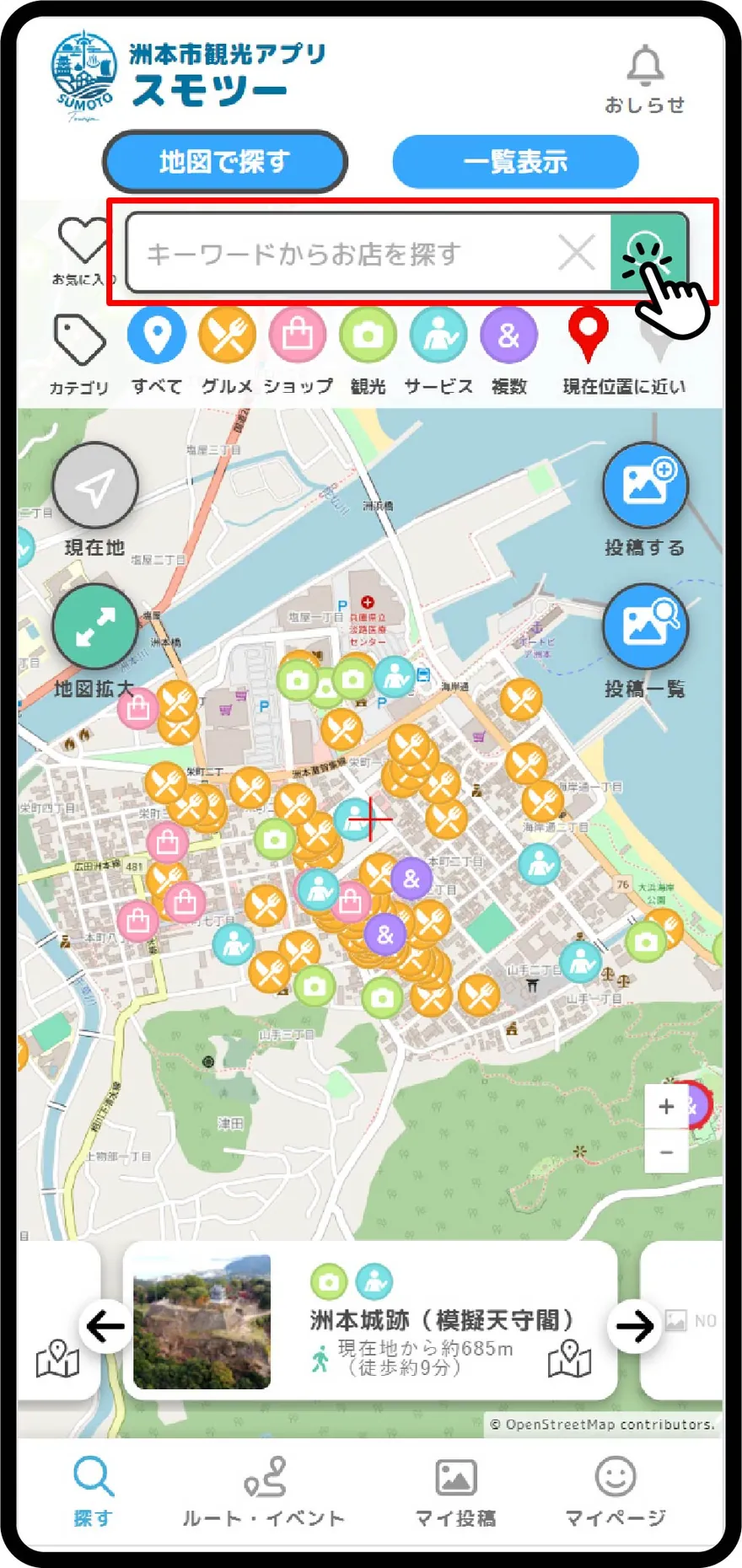
【キーワード検索】探したいお店の名前(ふりがな)を入力して検索ボタンをタップします。
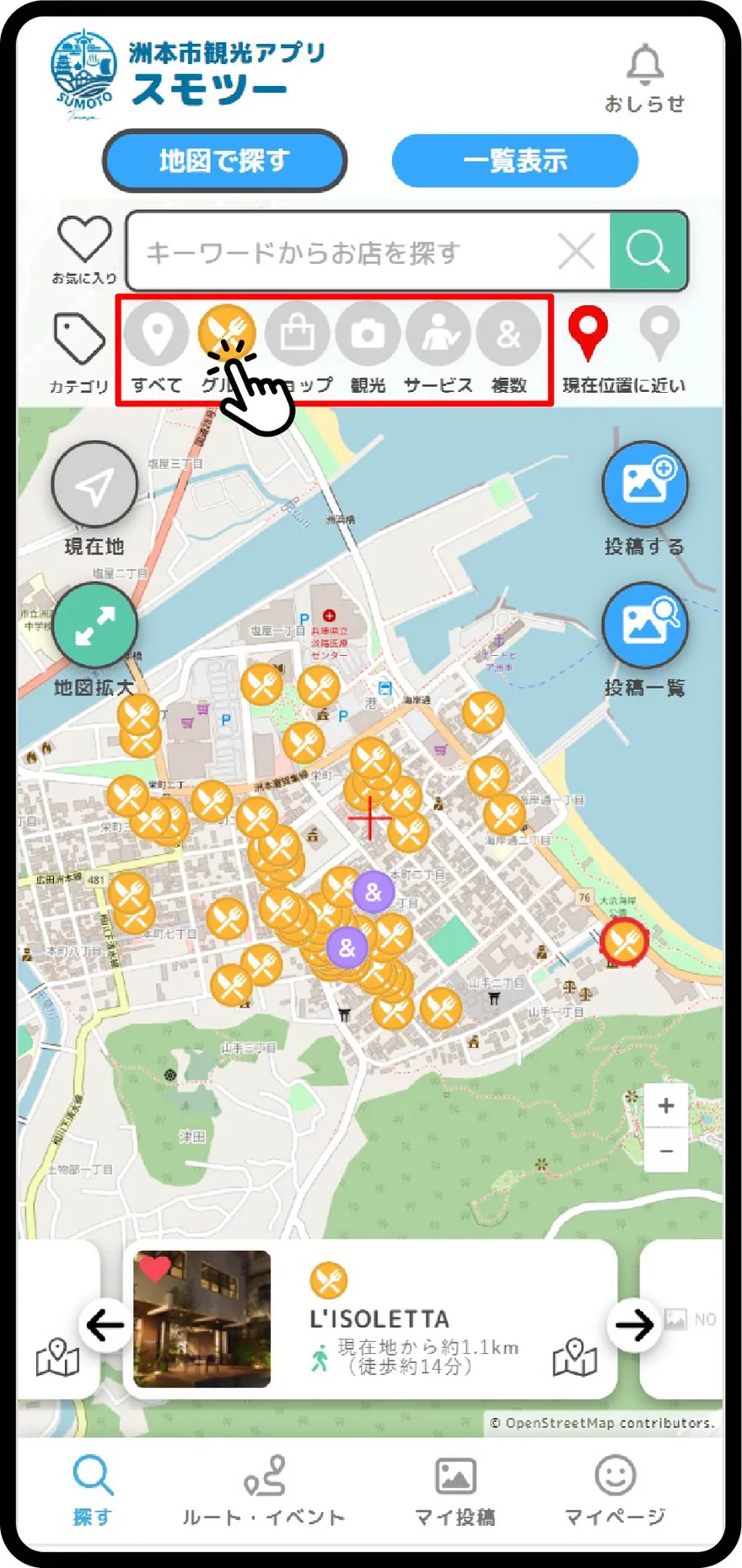
【ジャンル検索】アイコンをタップして対象のジャンルを絞り込みます。「グルメ」「ショップ」「観光」「サービス」「複数カテゴリ」で選べます。
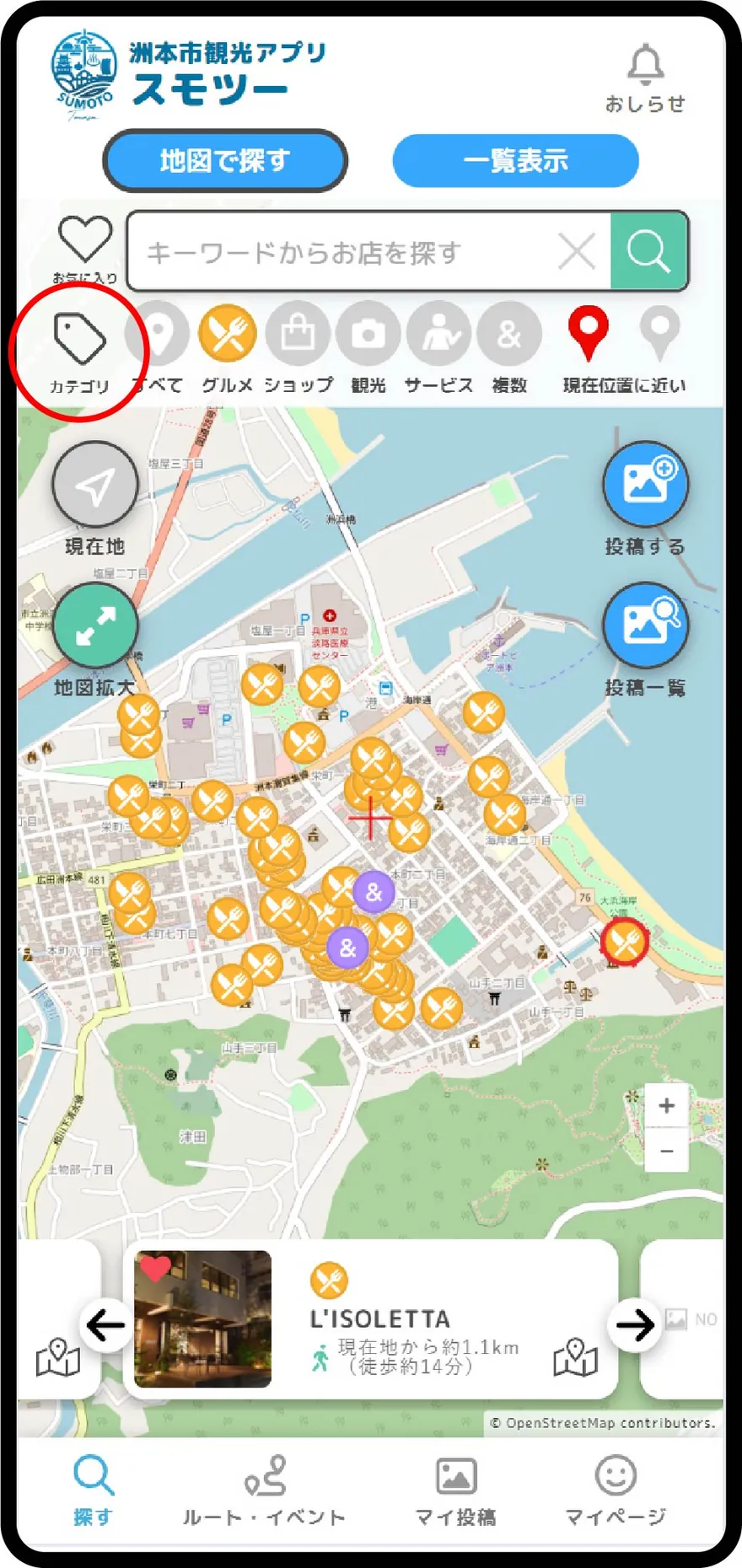
【カテゴリ検索】画面左上の「カテゴリ」をタップします。
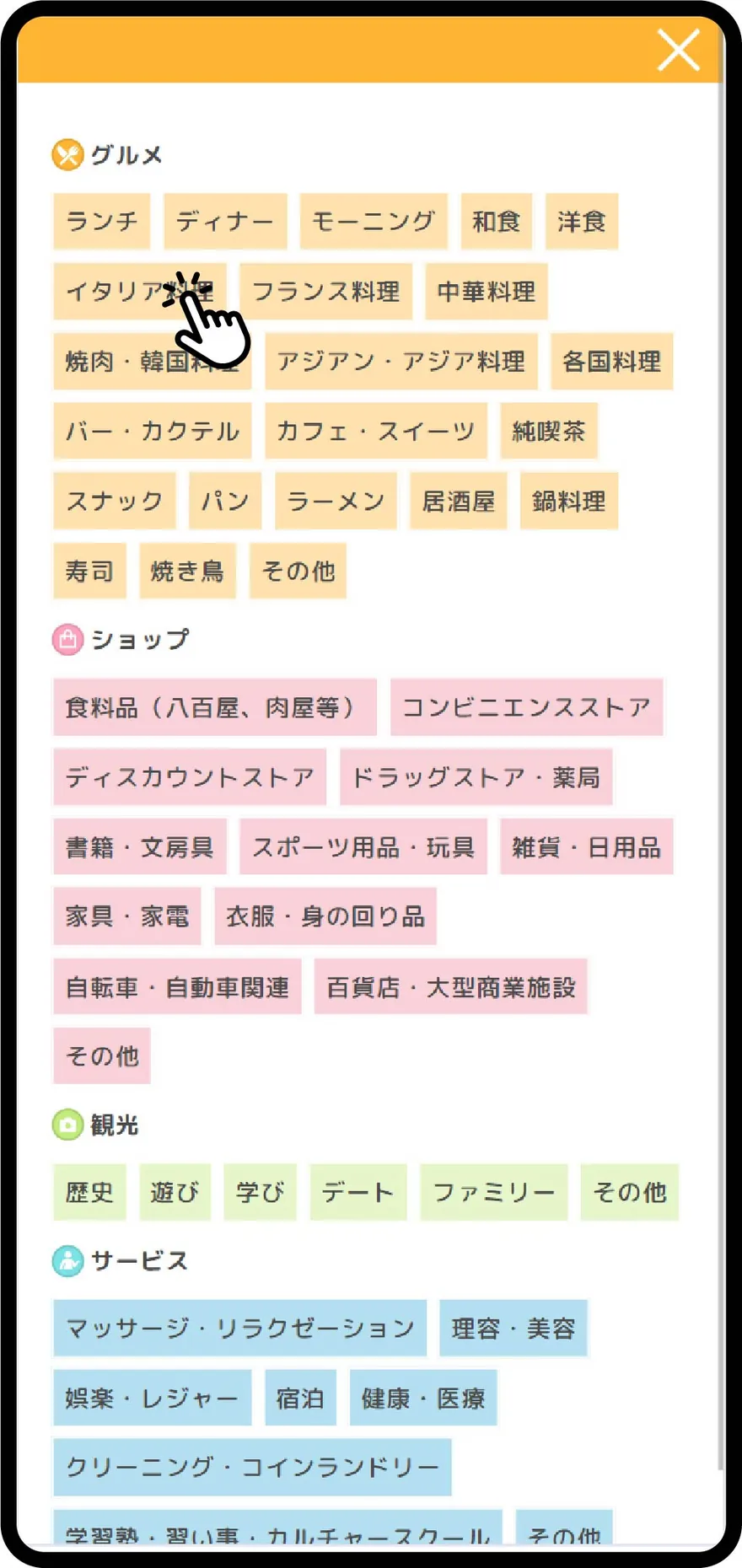
カテゴリ(分類)でスポット(お店)を絞り込みます。
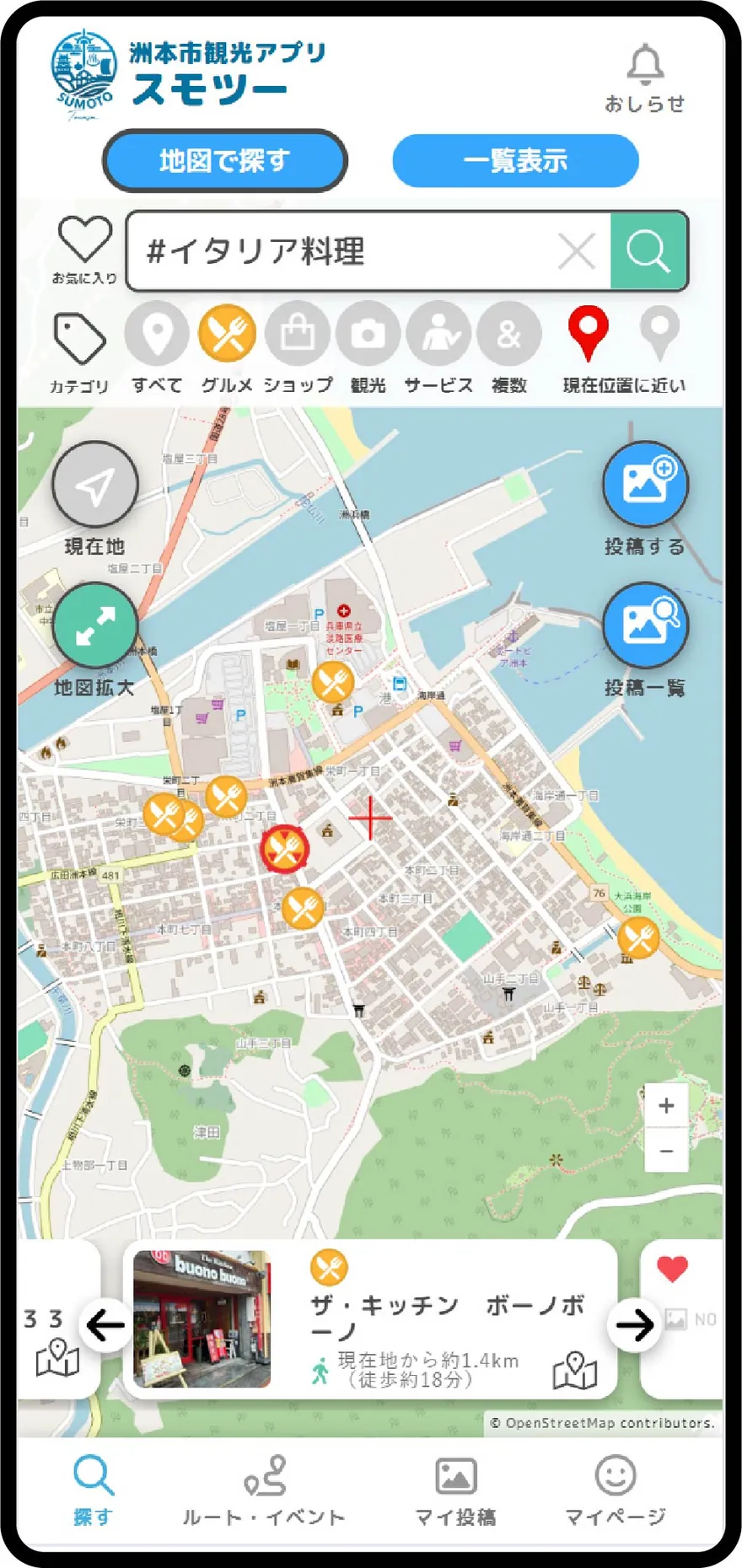
絞り込んだ結果が表示されます。
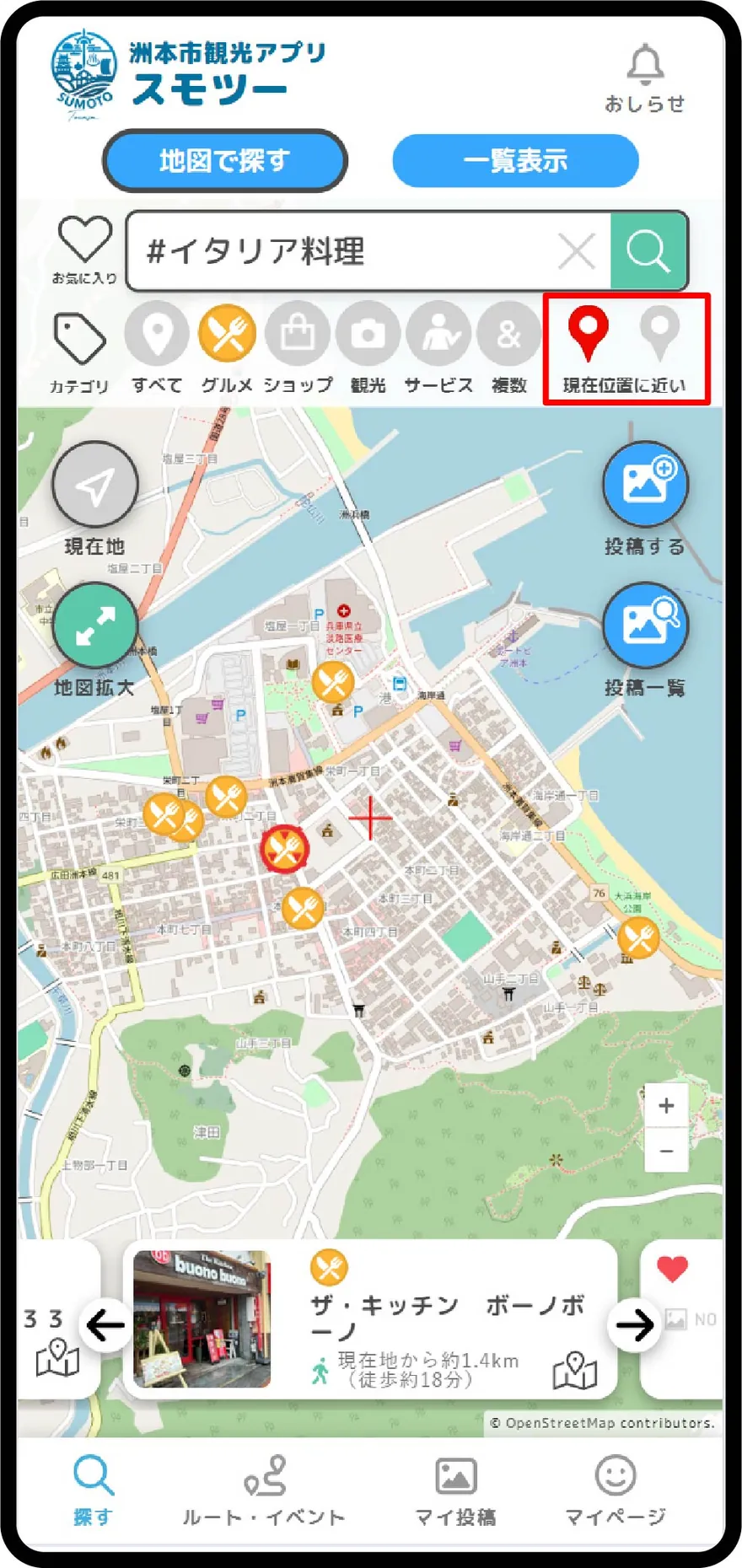
現在地(赤いポイ)に近い順でソートして表示します。マップ表示の場合は下部のスライダーが、一覧表示の場合はリストが現在地から近い順に並んで表示されます。
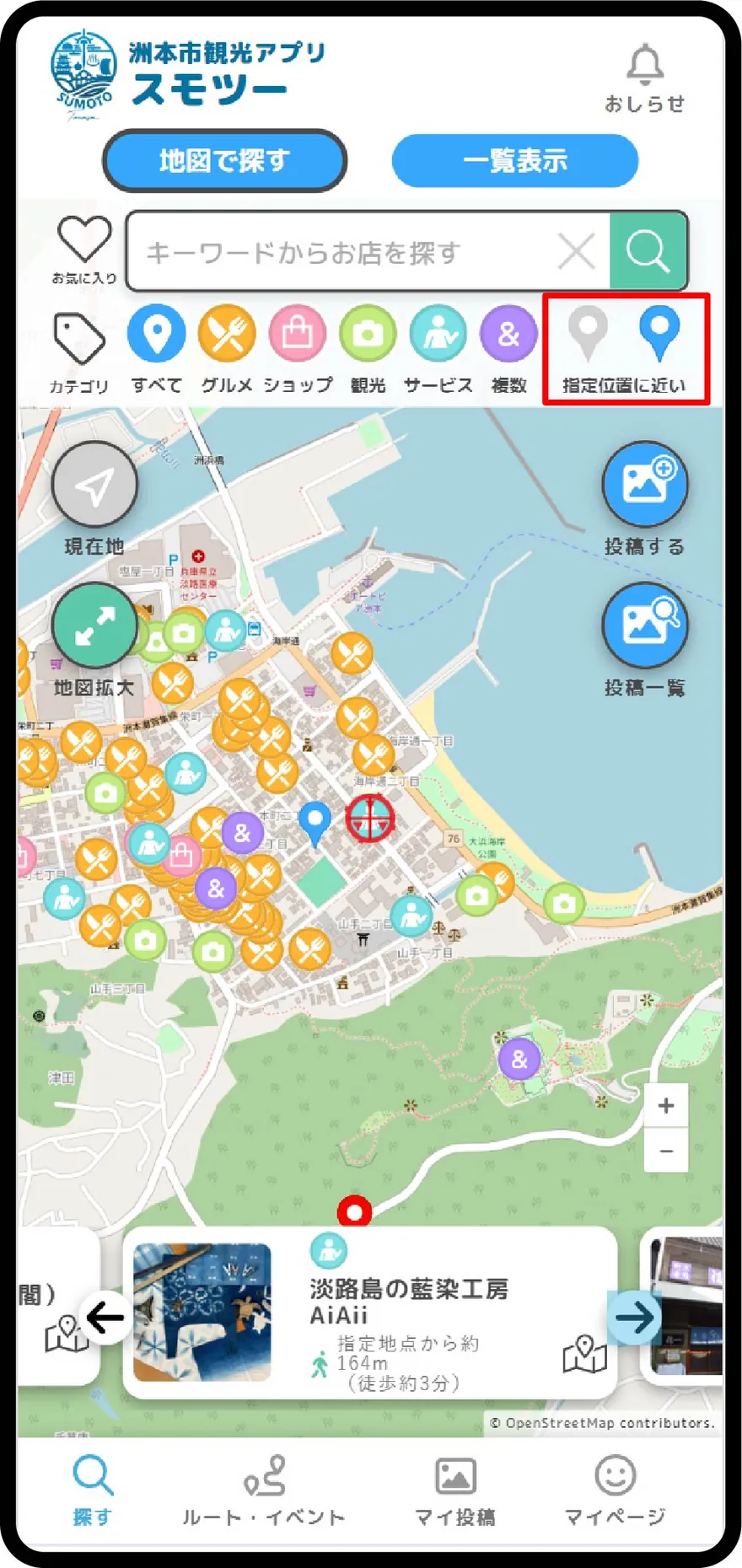
指定位置(青いポイ)に近い順でソートして表示します。マップ表示の場合は下部のスライダーが、一覧表示の場合はリストが指定した位置から近い順に並んで表示されます。
一覧表示
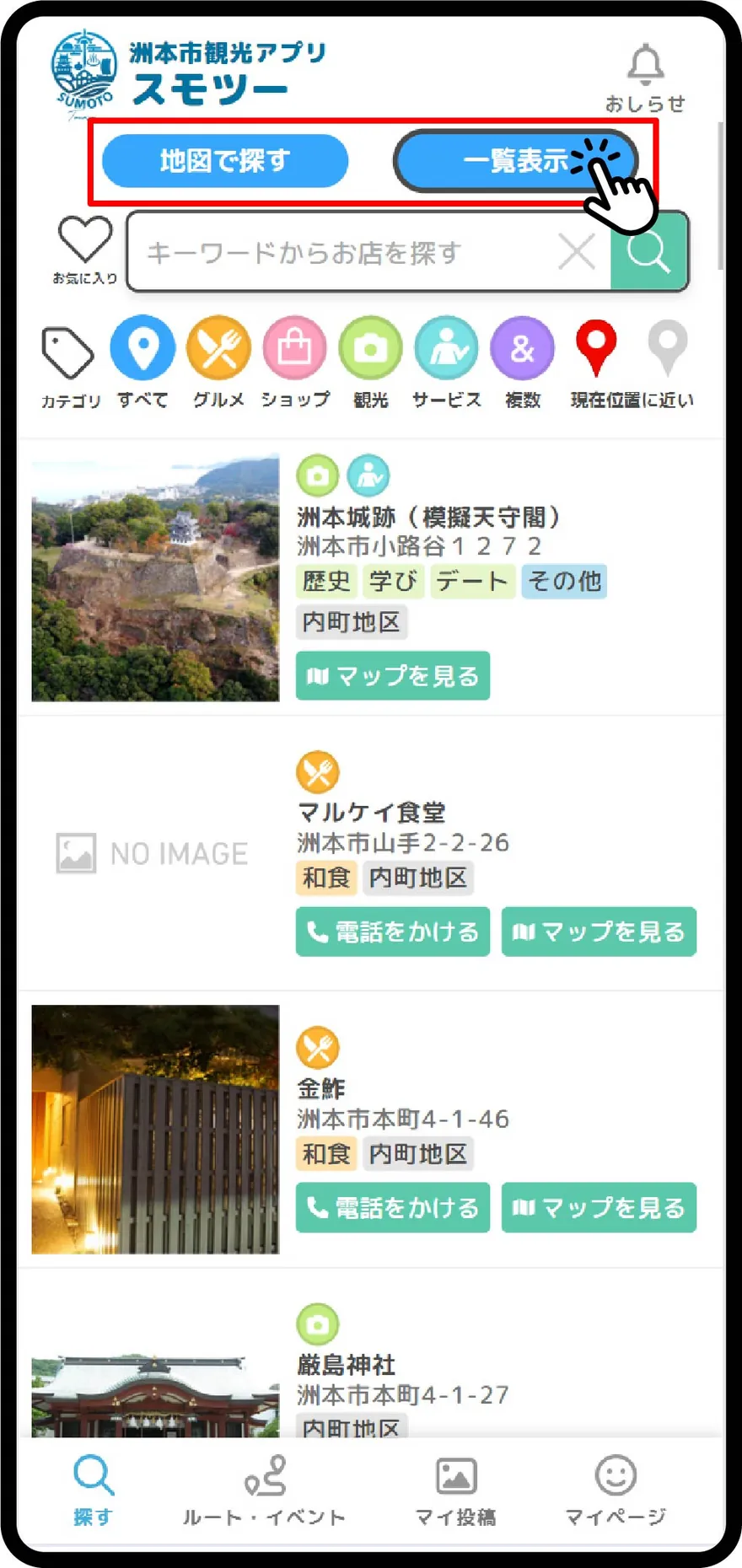
「一覧表示」をタップします。現在地、または指定地点から近い順でスポット(お店)が並びます。
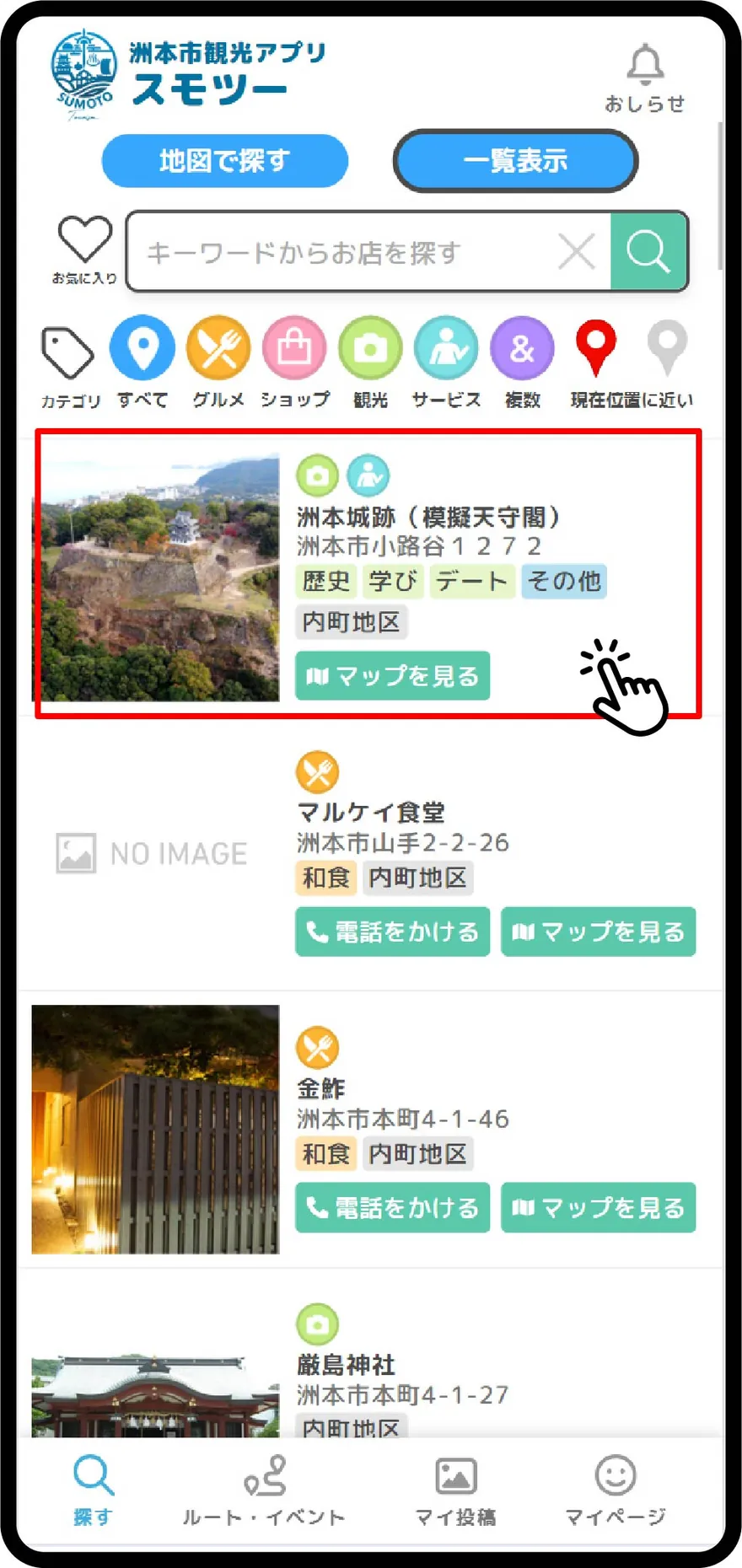
リストをタップすると、スポット詳細が表示されます。「マップを見る」ボタンを押すと、「マップ表示」でスポット(お店)の位置を確認できます。
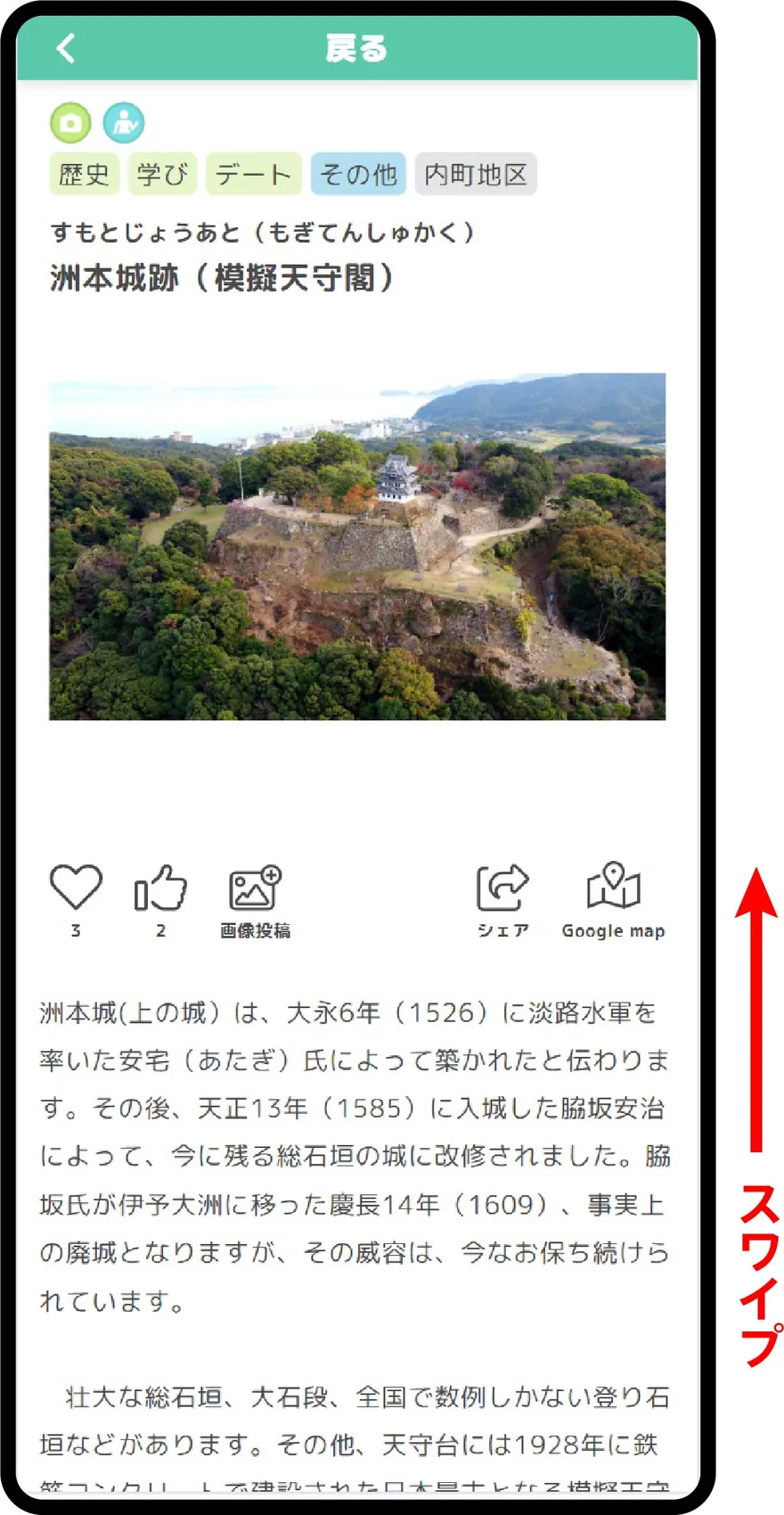
スポット詳細が表示されます。スワイプして詳細情報やニュース・クーポン・ユーザー投稿を見ることができます。
Search on the Map
Tap "Search on the Map".
Enter the name (furigana) of the store you want to find in the Keyword Search field and tap the search button.
Tap the Genre Search icon to narrow down the target genre. You can choose from "Gourmet", "Shop", "Sightseeing", "Service", and "Multiple Categories".
Tap "Category Search" in the upper left corner of the screen.
Narrow down the spots (stores) by category.
The filtered results will be displayed.
Sort and display the results in order of proximity to your current location (red pin). In map view, the slider at the bottom will show the results, while in list view, the list will be arranged by proximity to your current location.
Sort and display the results in order of proximity to the specified location (blue pin). In map view, the slider at the bottom will show the results, while in list view, the list will be arranged by proximity to the specified location.
List View
Tap "List View". Spots (stores) will be listed in order of proximity to your current location or the specified point.
Tap an item in the list to view the spot details. Press the "View Map" button to check the spot's location on the map.
The spot details will be displayed. Swipe to view detailed information, news, coupons, and user posts.