会員登録方法
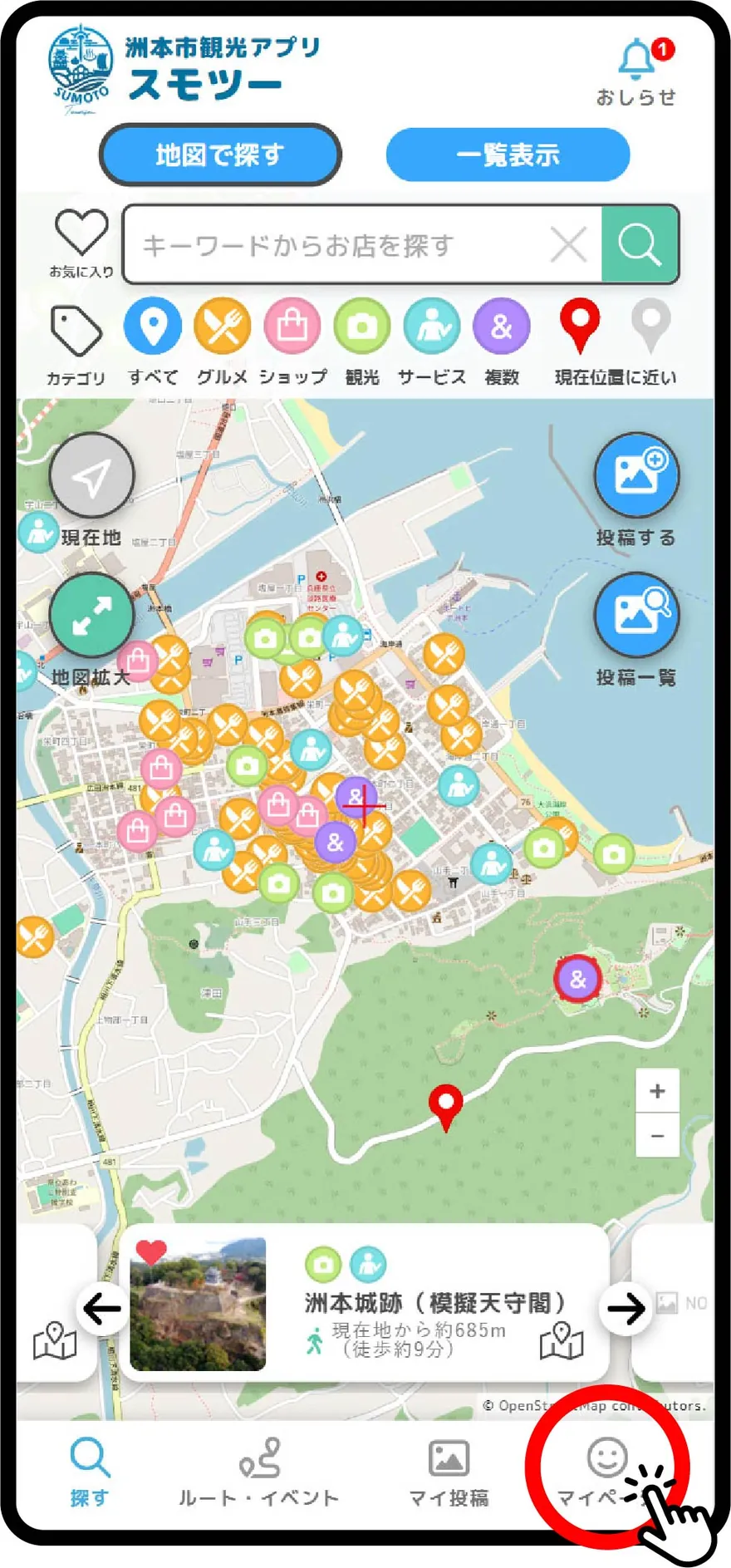
マイページを開きます。
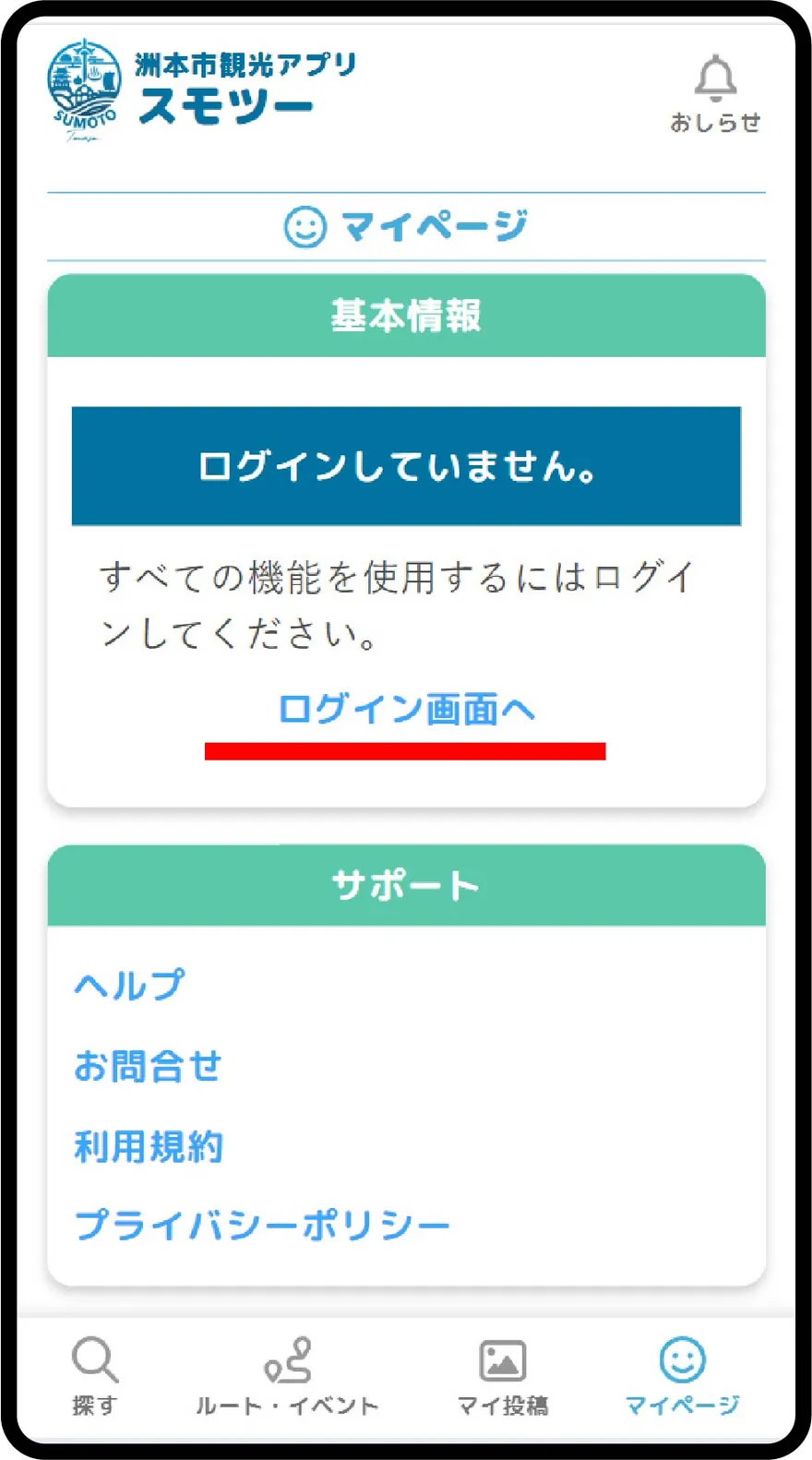
ログイン画面へをタップします。
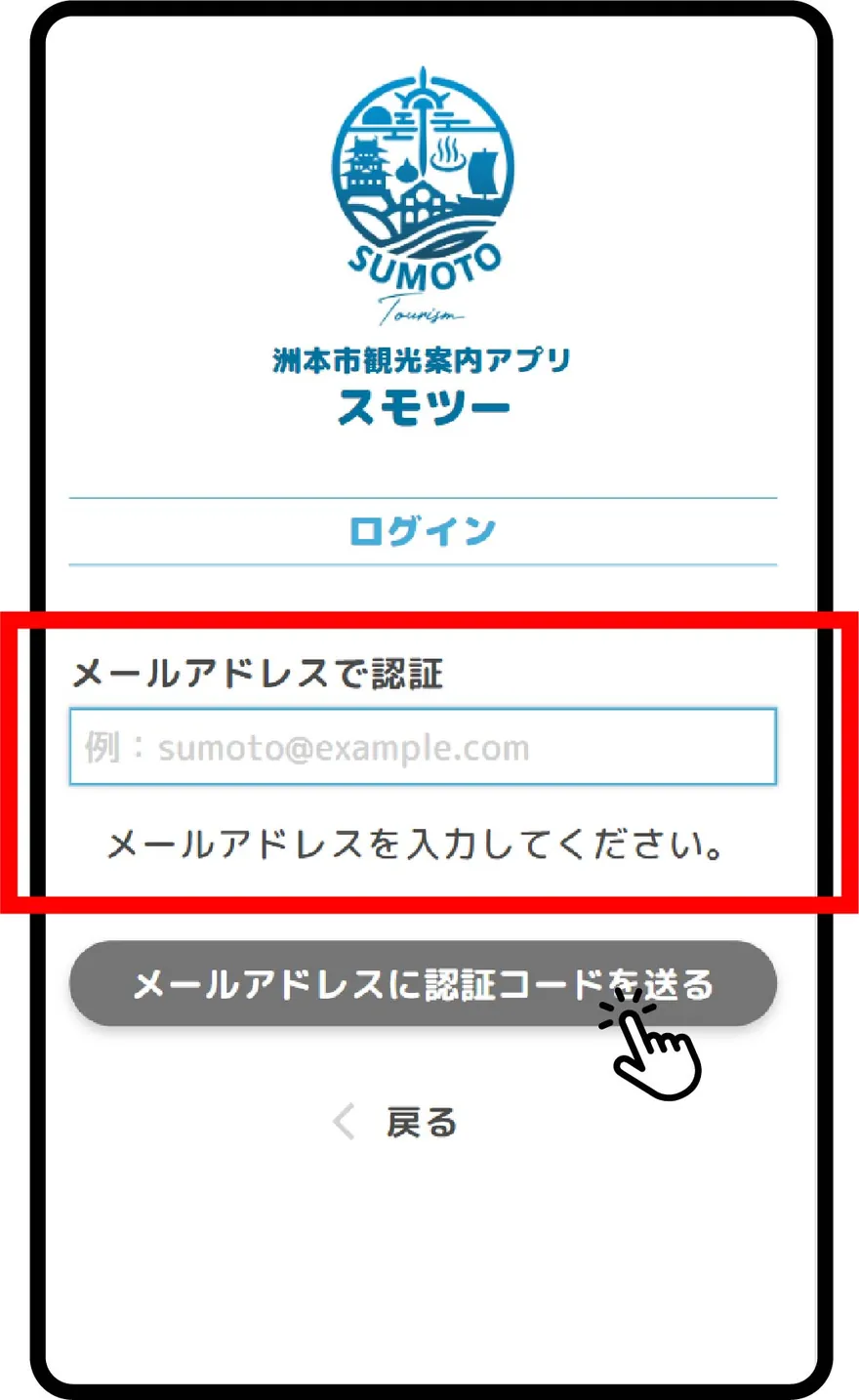
メールアドレスを入力し、メールアドレスに認証コードを送るをタップします。
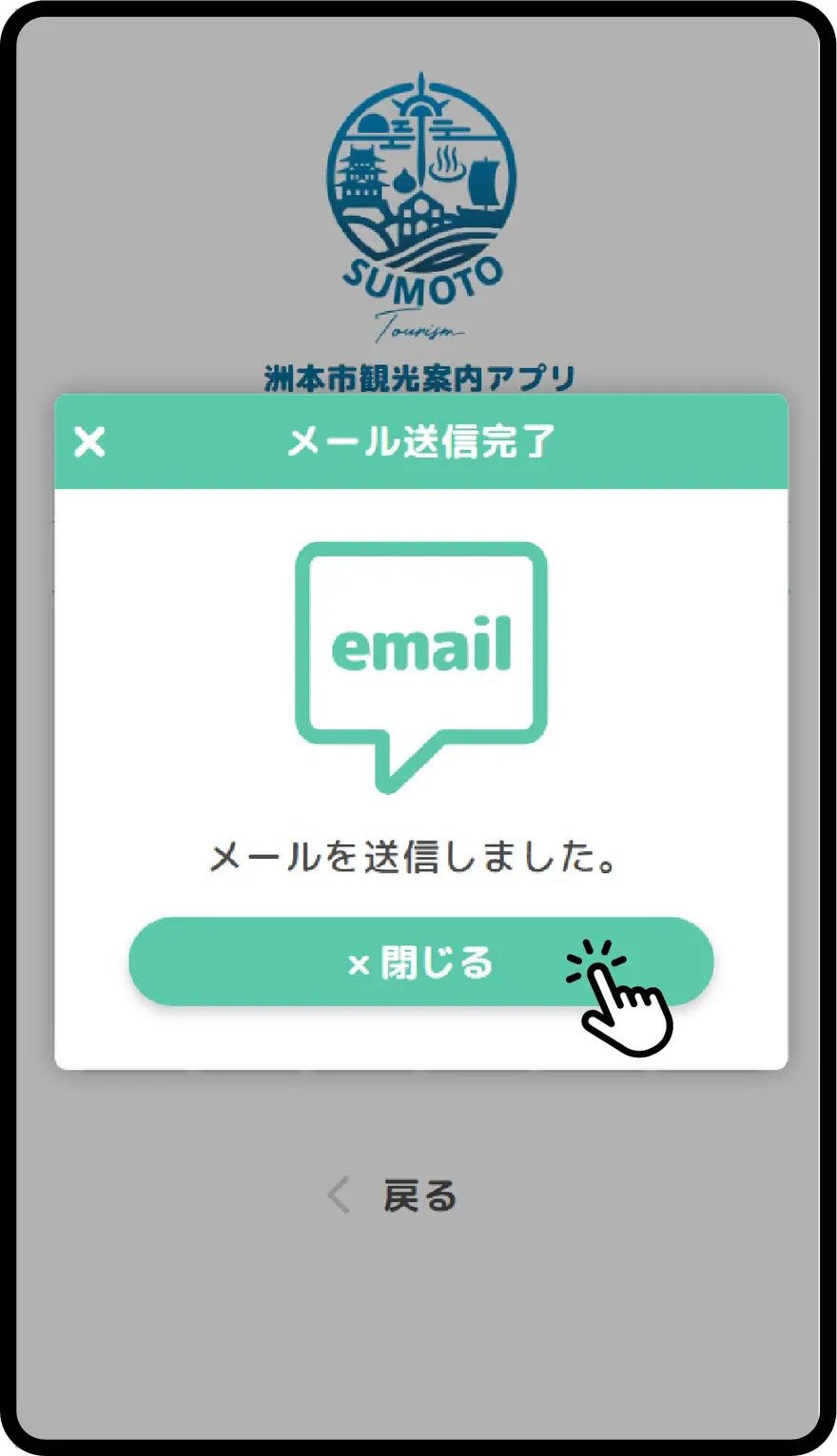
メールが送信されるので、メーラーを開いてご確認ください。メールタイトル:スモツー通知
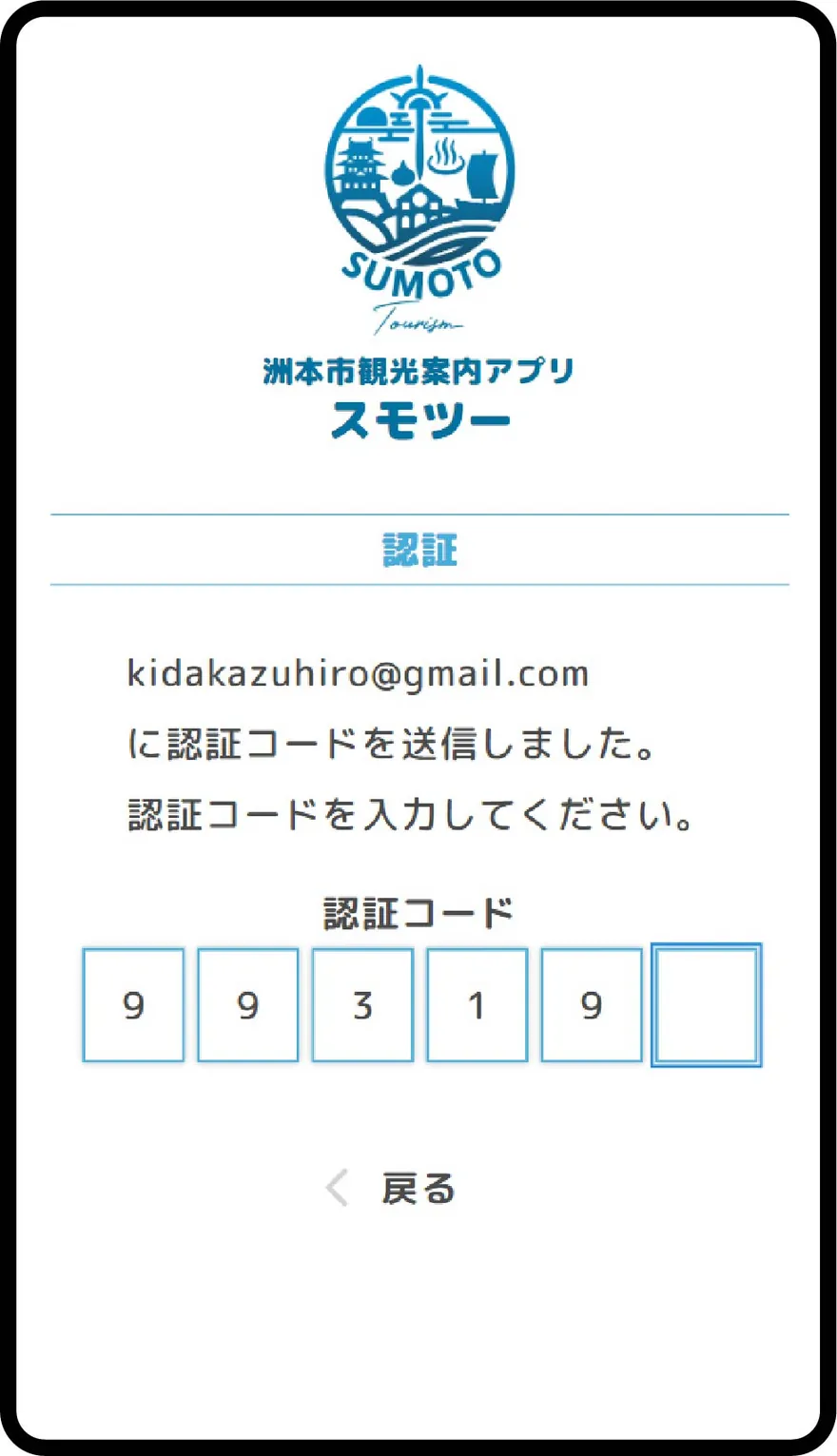
メールに記載された[スモツー]認証コードを入力します。
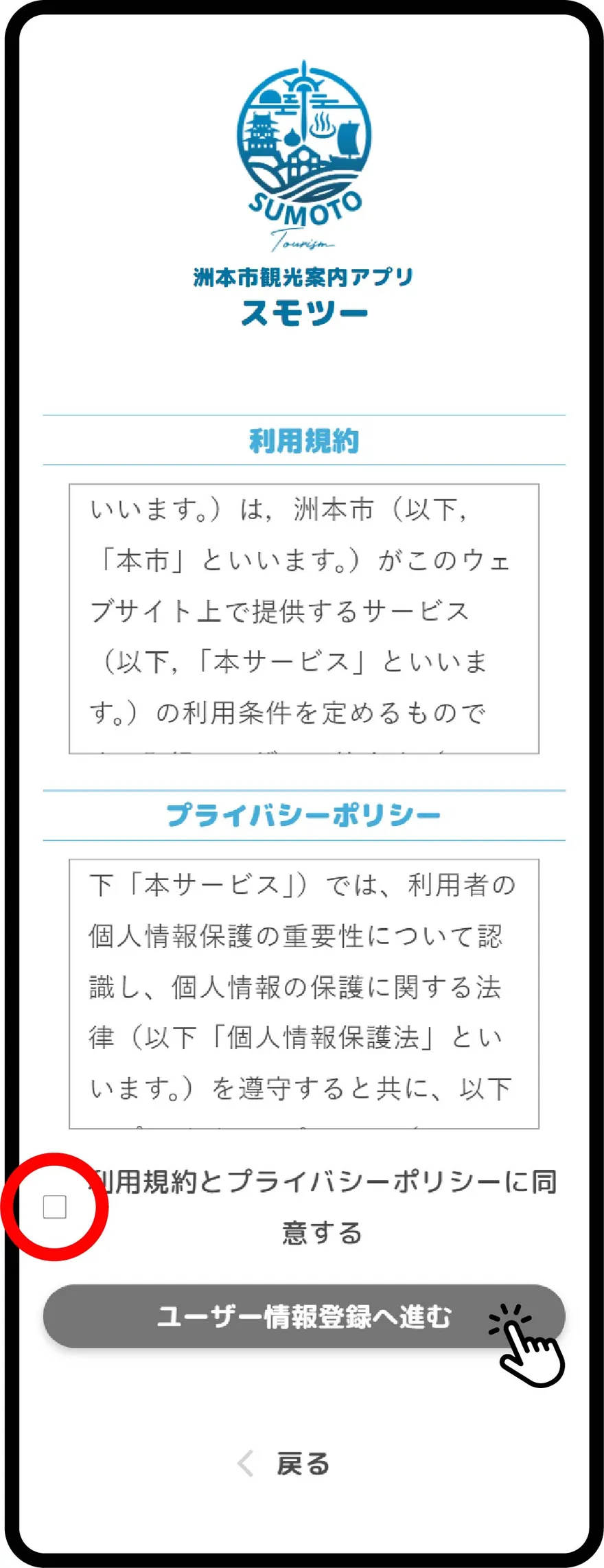
利用規約、プライバシーポリシーをご確認の上、利用規約とプライバシーポリシーに同意するにチェックし、ユーザー情報登録へ進むをタップします。
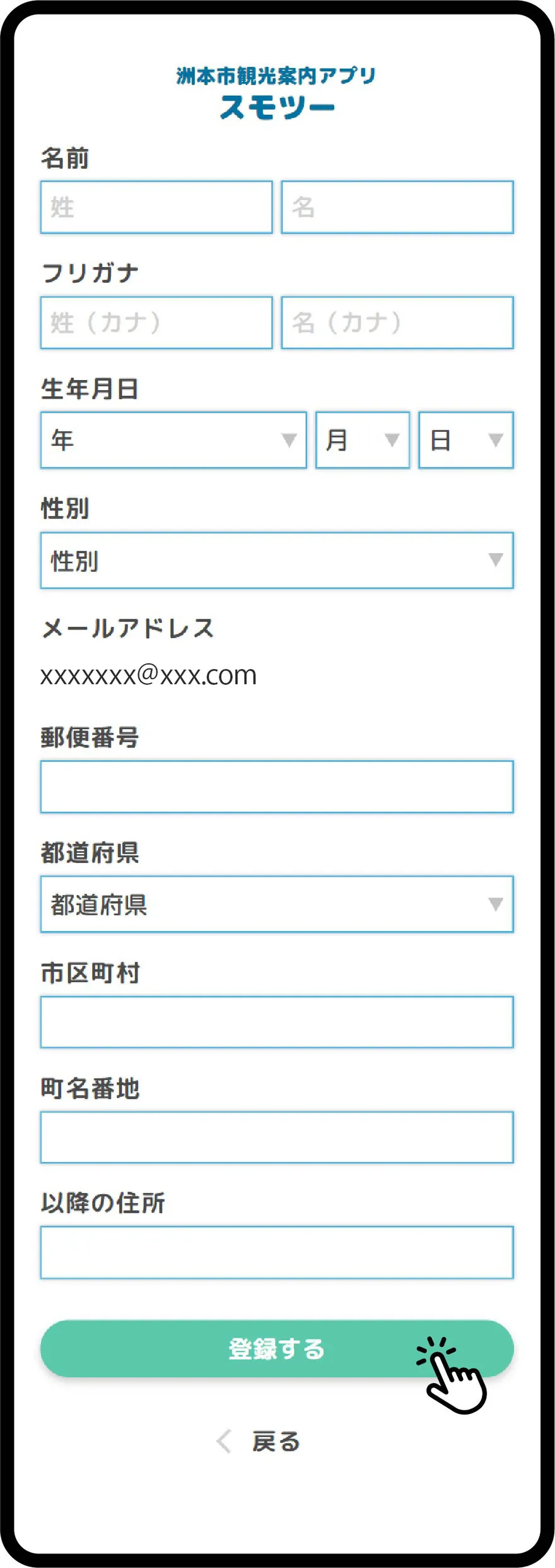
会員情報の各項目を入力し、登録するをタップします。
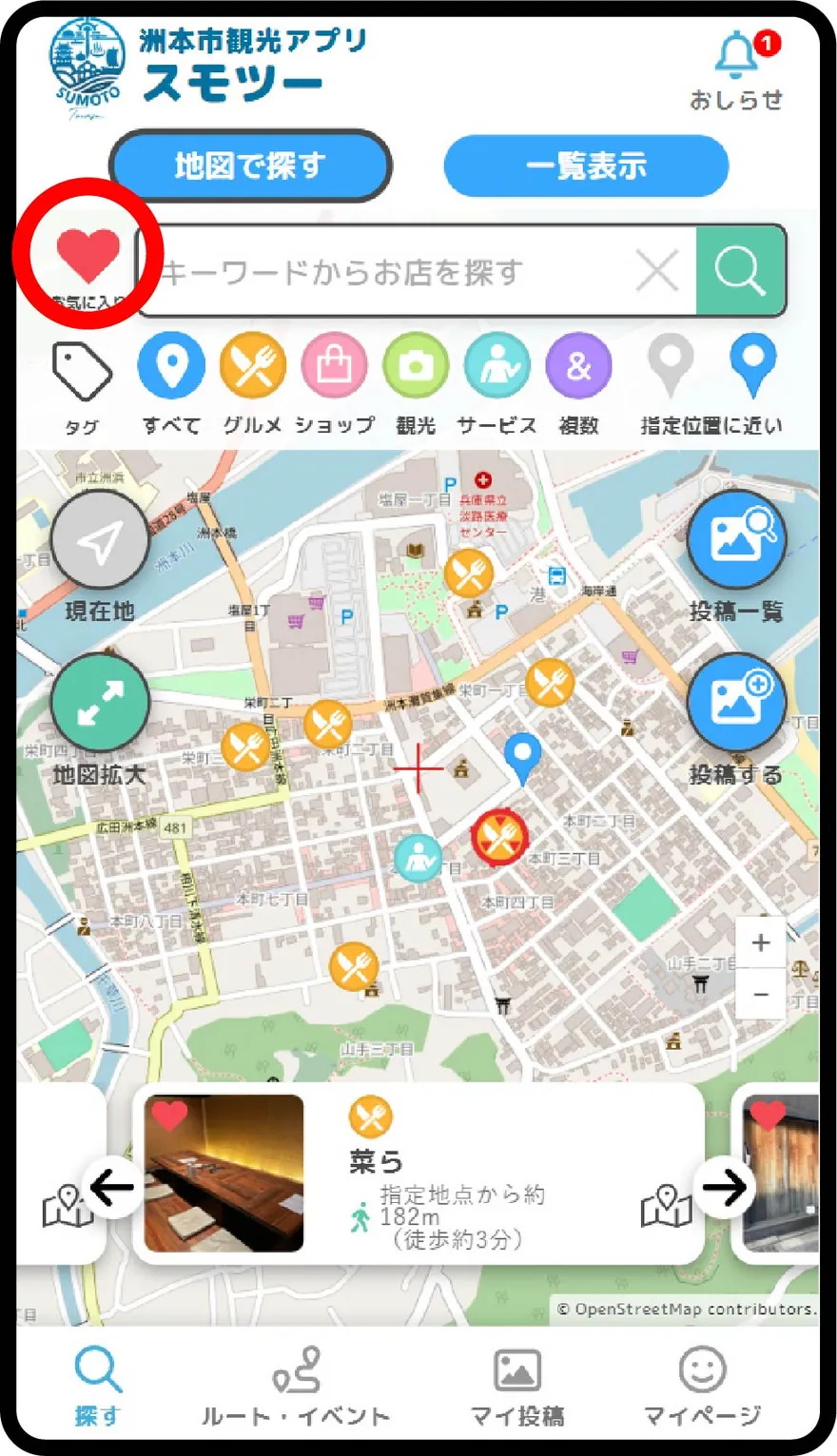
会員登録が完了すると、「お気に入り」機能や「ユーザー投稿」機能が使用可能になります。
Open My Page.
Tap Go to Login.
Enter your email address and tap Send code.
An email will be sent. Please check it in your mailer. Email subject: Sumotour Notification
Enter the [Sumotour] authentication code written in the email.
After checking the Terms of Use and Privacy Policy, check I agree to the Terms of Use and Privacy Policy and tap Go to User Info Registration.
Enter each item of your member information and tap Register.
Once registration is complete, you can use the "Favorites" and "User Post" features.