お気に入り
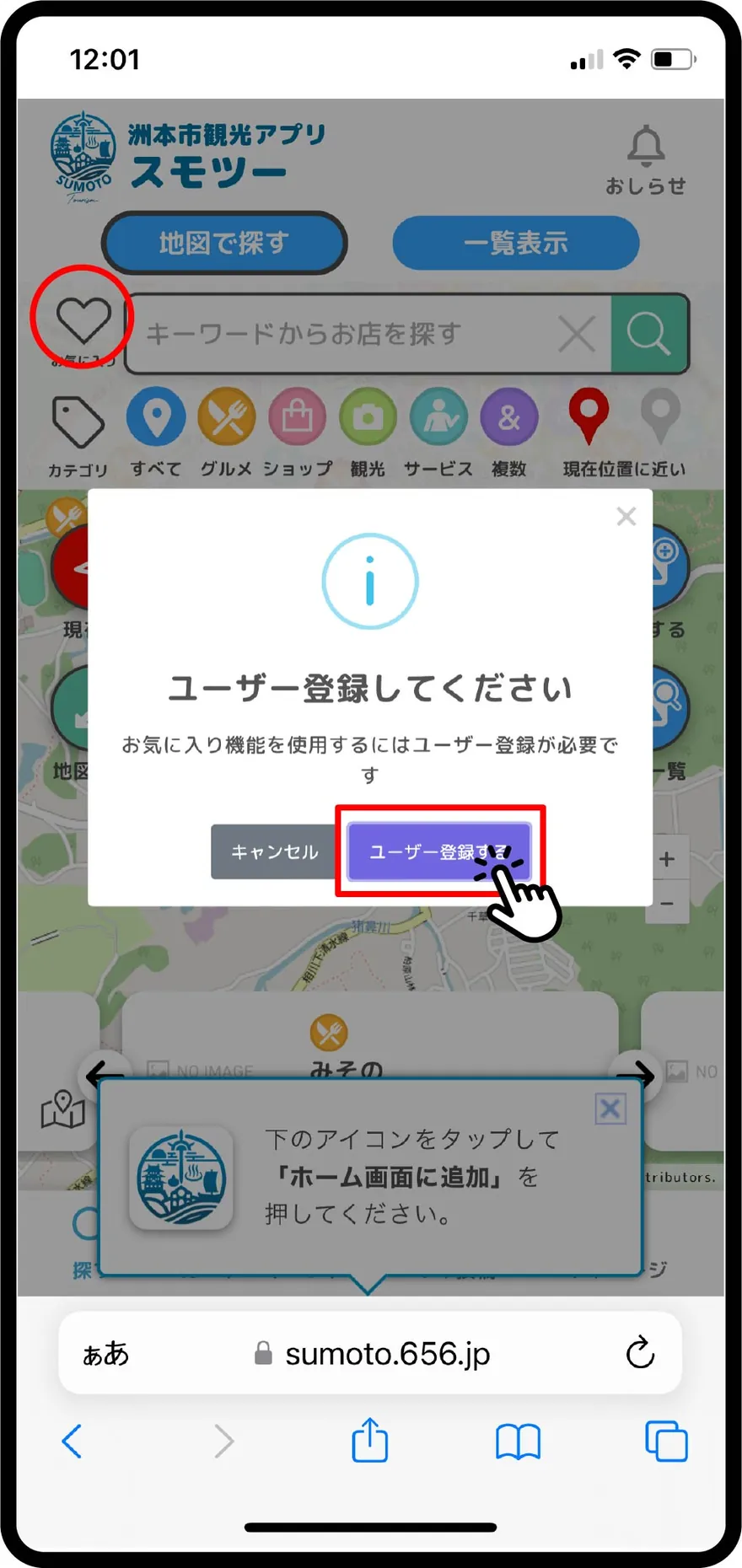
会員登録が完了すると、「お気に入り」機能が使用可能になります。会員登録の方法はヘルプの「会員登録方法」をご覧ください。
お気に入りに追加する
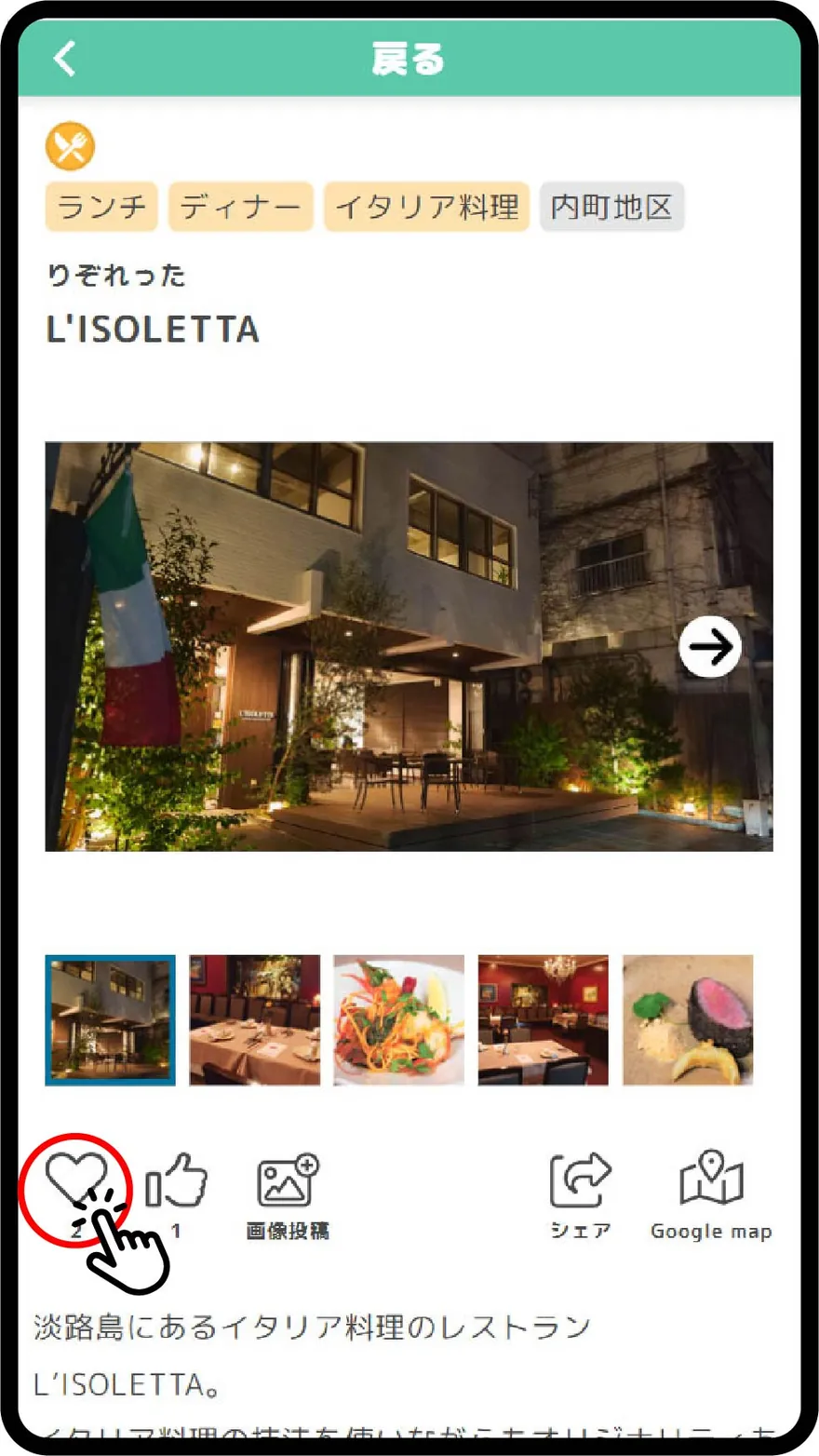
店舗詳細画面の「お気に入りアイコン」をタップすると、その店舗がお気に入りに追加されます。
お気に入りを表示する
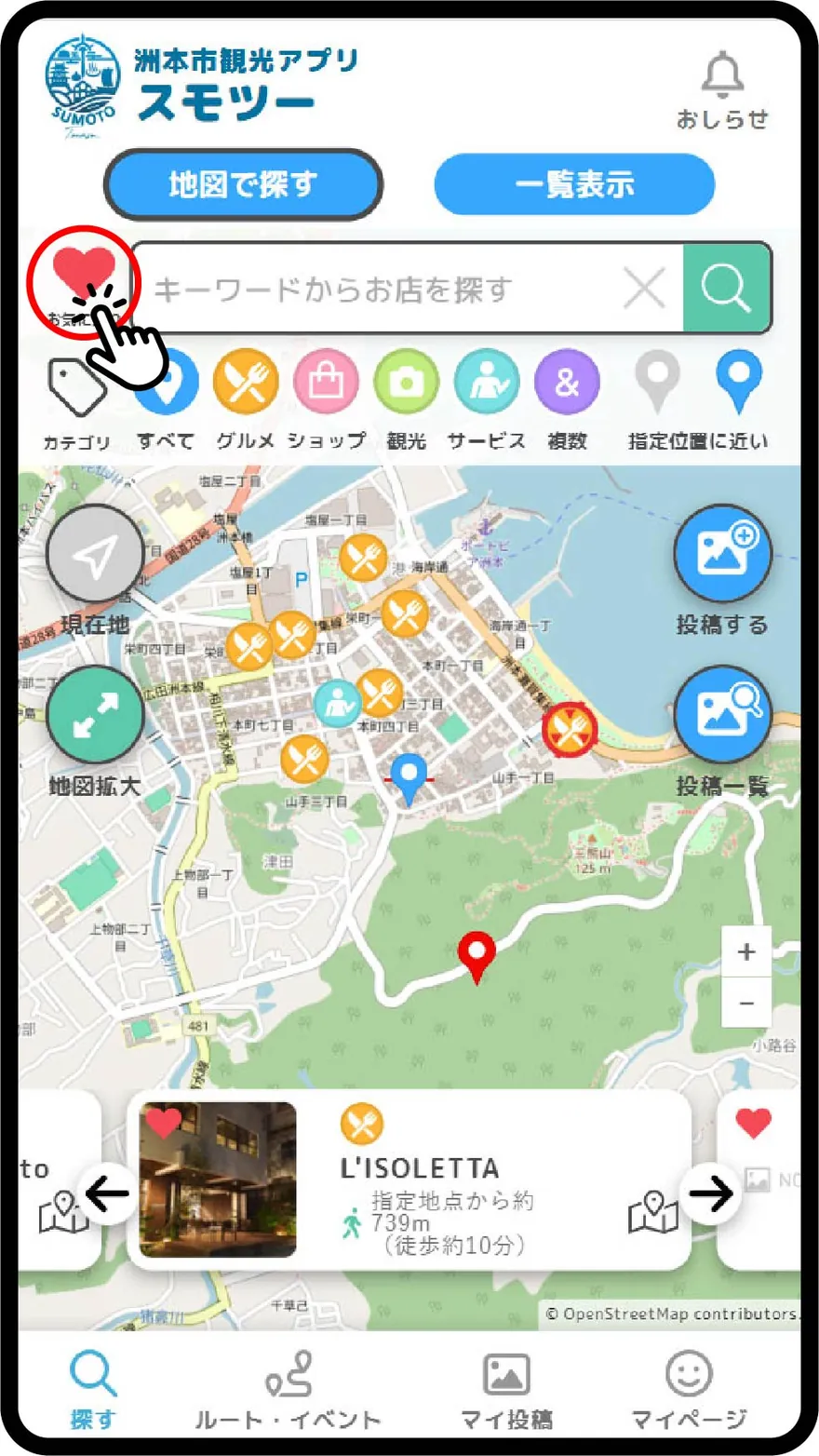
マップ画面の「お気に入りアイコン」をタップすると、お気に入りに追加した店舗だけが表示されます。
お気に入りのお知らせを確認する
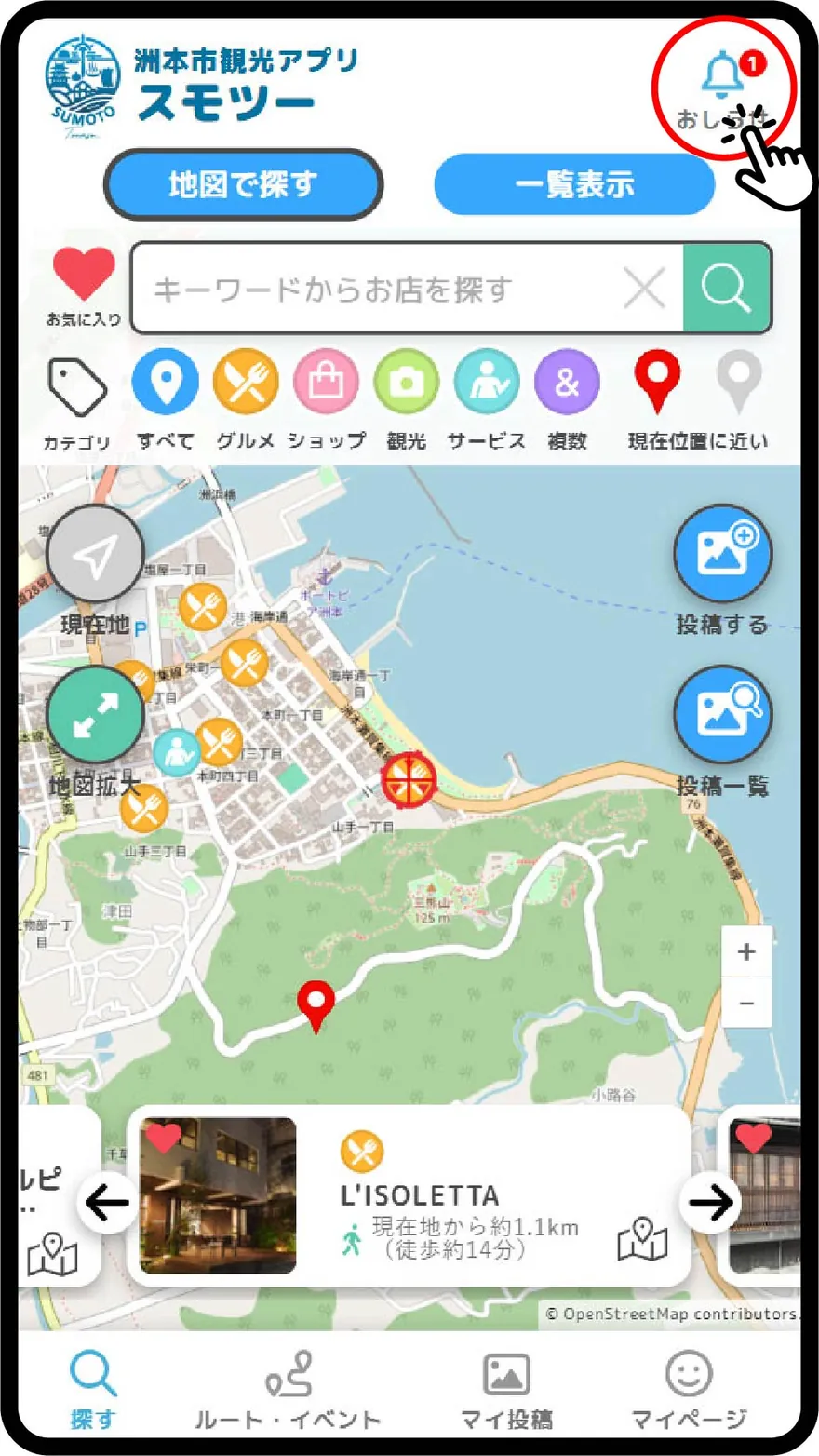
また、お気に入りに追加した店舗の新着情報が通知されるようになります。
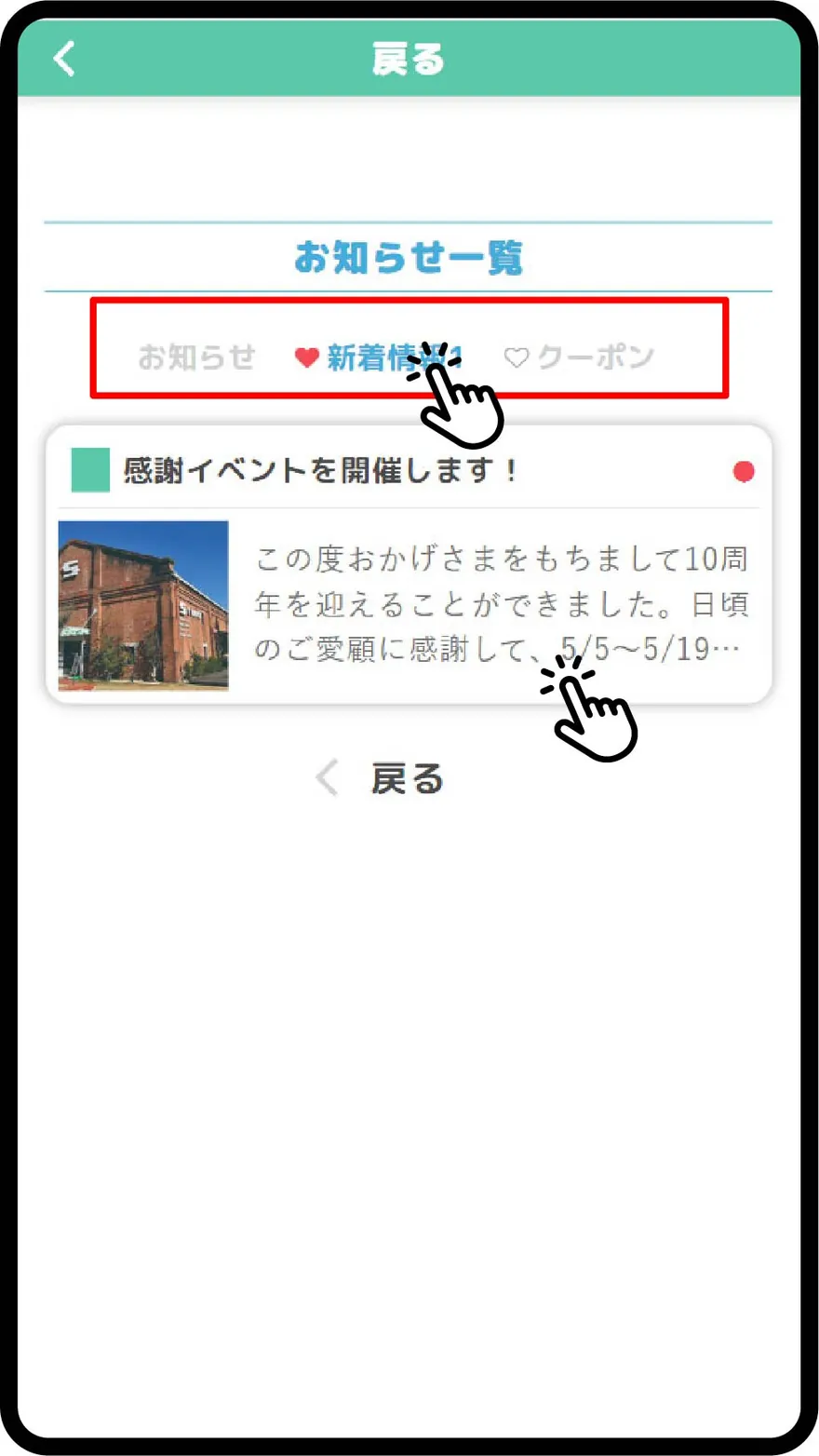
お知らせ通知の中の「新着情報」もしくは「お気に入り」をタップし、各店の情報をタップします。
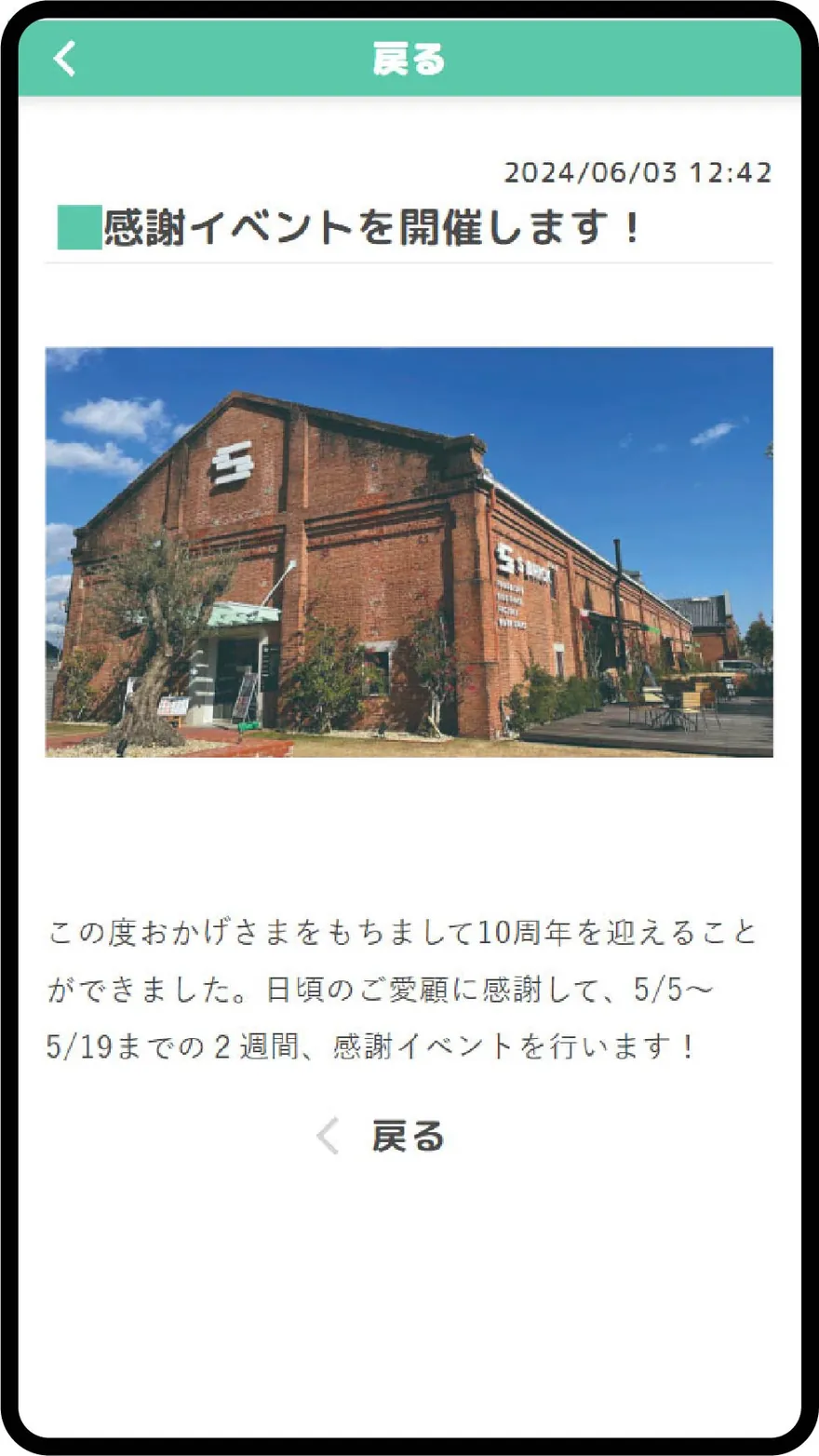
お店からのお知らせ、またはクーポンをチェックできます!
Once you complete your membership registration, the "Favorites" feature will be available. For information on how to register, please see the "Membership Registration" help page.
Add to Favorites
Tapping the "Favorites Icon" on the store details screen will add that store to your favorites.
Display Favorites
Tapping the "Favorites Icon" on the map screen will display only the stores you have added to your favorites.
Check Favorites Notifications
Additionally, you will receive notifications for new information about the stores you have added to your favorites.
Tap "New Information" or "Favorites" in the notification to view information about each store.
You can check notifications or coupons from the store!